ESPN's offline draft tool is gone. Here's what to run draft night on.
For commissioners whose league drafts in person and keeps the season on ESPN.
If you came looking for ESPN's Offline Draft App, you are not going mad — it used to exist, and it does not any more. It gave the commissioner a virtual draft board with a pick timer, pause and undo, a player board and a draft summary. A sticker board with software behind it. It was retired without much announcement, and nothing from ESPN replaced it.
To be precise about what ESPN does still offer, because the two get confused: the offline draft setting is alive and well. You can absolutely still tell ESPN your league drafts offline. What you get afterward is a form — LM Tools → Input Offline Draft Results — where the commissioner types in what happened. Per ESPN's own support article, that is the whole of it.
So the situation for draft night itself is simple, and worth saying plainly: ESPN gives an offline league no board, no clock and no player list. The draft is yours to run. You just need something to run it on.
Your three real options
Every offline league lands on one of these. None of them is wrong — they cost different things.
- A paper sticker board. Zero setup, works during a power cut, and the photo afterward is genuinely a nice thing to have. The costs are real though: someone peels labels all night, there is no clock, and nobody reads the late rounds from across the room.
- A spreadsheet on a shared screen. Free and infinitely flexible. But somebody has to build it before draft night and drive it during, and a spreadsheet will happily let two teams draft the same player.
- A dedicated digital draft board. Software built for this one night — the category ESPN's app used to sit in. Several exist, including ours. They differ mostly in whether they can pull your league in and what they hand back afterward.
What to look for in a replacement
Whichever you pick — including if you pick someone else's — these are the five things that decide whether draft night runs well:
- It shows on a TV without squinting. Round 9 has to be readable from the couch. A laptop screen passed around the room is not a draft board.
- The commissioner drives it from a second screen. One person clicking picks on a laptop while the room watches the board is the whole workflow. A single shared screen means whoever is picking sees everyone's cheat sheet.
- It has a real pick clock. The clock is what keeps a 12-team, 15-round draft from turning into a four-hour night. Ideally an audible one, so nobody has to watch it.
- It knows this year's players. A blank board makes you bring your own rankings. A current player pool doubles as the cheat sheet and stops two people drafting the same guy.
- It gives you the picks back in draft order. ESPN wants the results typed in the order they happened. If your board can't hand you that list, someone is transcribing from photographs at midnight.
What we built
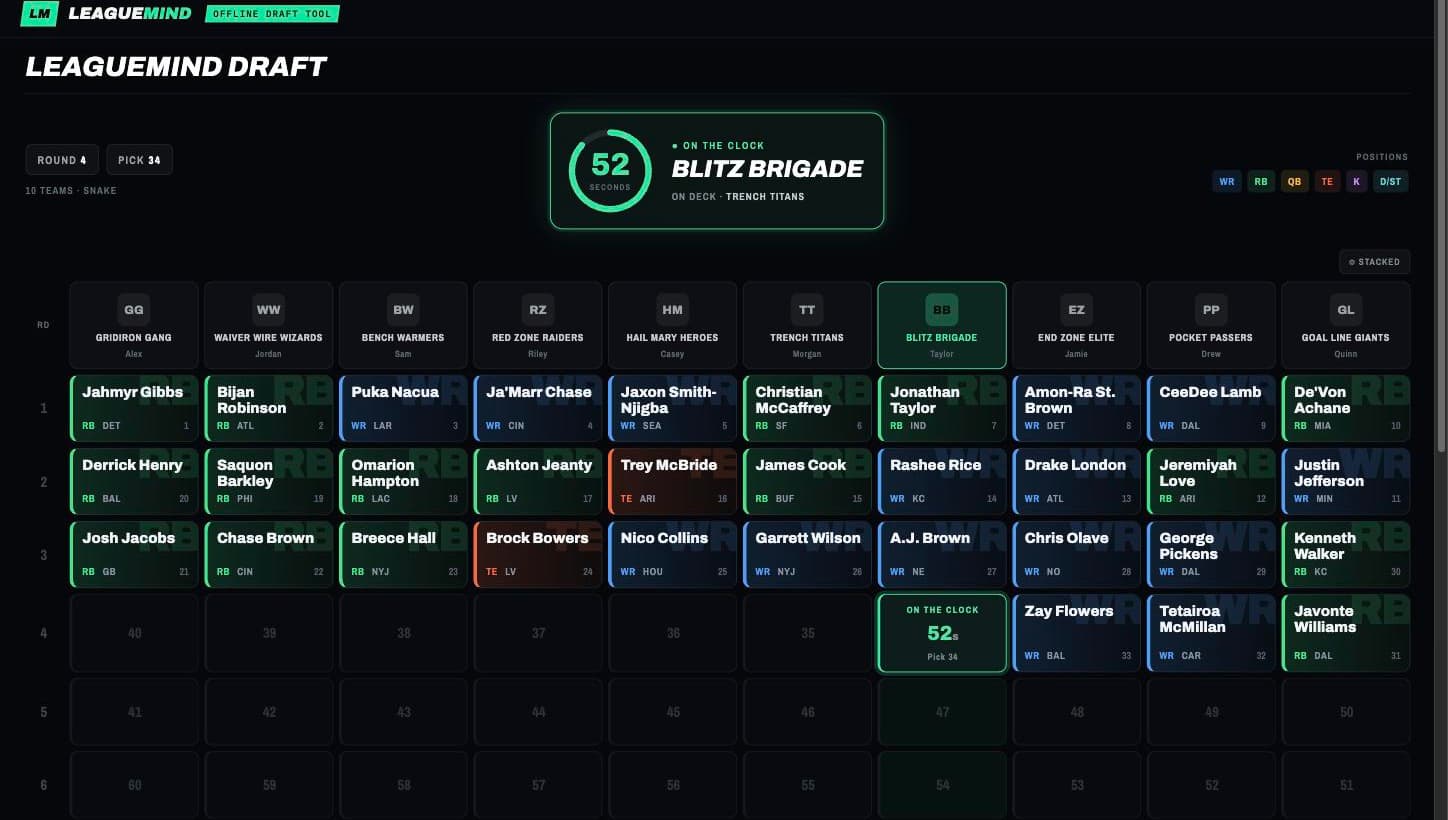
LeagueMind's Draft Room is our answer to the same job ESPN's app used to do, aimed squarely at the league that drafts in one room:
- It imports your ESPN league — teams, owners and draft order — so nobody retypes rosters on draft night.
- Two linked screens — the board goes on the TV or projector, and the commissioner works a separate panel where each pick is one click.
- A pick clock with a voice countdown, so the room polices itself instead of one person nagging.
- This year's player pool and ranks, pulled fresh when the room is created, so the panel doubles as the cheat sheet.
- The pick list back in draft order when you're done, which is exactly the order ESPN wants it typed in.
Draft Rooms are part of LeagueMind Pro ($9.99 a month or $79.99 a year). Everyone you invite to the draft joins free — only the commissioner needs the subscription. See plans.
You still have to enter the results into ESPN
Whatever you draft on, the last step is the same: the commissioner enters the picks through LM Tools → Input Offline Draft Results, in the order they were drafted, clicks Save Roster after each team, then clicks Make Rosters Available. Until that happens the league cannot see rosters, and nobody can make moves.
The full walkthrough — setting the draft type before the night, running the room, and entering results afterward — is in our ESPN offline draft guide.
FAQ
Does ESPN still have an offline draft tool?
No. ESPN still supports offline drafts as a league setting, but it provides no draft board for one. When a league is set to Offline Draft, ESPN skips its draft room entirely — your league runs the draft however it likes, and the commissioner types the results in afterward through LM Tools.
What happened to the ESPN Offline Draft App?
It was retired. The standalone app gave commissioners a virtual draft board with a pick timer, pause and undo, a player board and a draft summary — effectively a sticker board with software behind it. It is no longer offered, and ESPN's current offline-draft support covers only entering results after the fact.
What can I use as an offline draft board instead?
Three realistic options: a paper sticker board, a spreadsheet on a shared screen, or a dedicated digital draft board built for in-person drafts. The paper board needs no setup but has no clock and no player list; a spreadsheet is flexible but someone has to build and drive it; a digital board handles the clock, the pick order and the player pool for you.
Can an offline draft tool import my ESPN league?
Some can. LeagueMind's Draft Room imports your ESPN league directly — teams, owners and draft order — so you are not retyping rosters on draft night, and it hands back the pick list in draft order for entering results into ESPN afterward.
Do I still have to enter the results into ESPN?
Yes. Whatever you draft on, ESPN needs the picks entered through LM Tools → Input Offline Draft Results — Save Roster after each team — before rosters go live, and the league cannot see rosters or make moves until the commissioner clicks Make Rosters Available.
Drafting in person this year?
Import your ESPN league and put the board on the TV — see how the Draft Room works.